Your child can see what comes next
A daily schedule in pictures, on the child’s own device. A parent builds the day once — then the child follows it themselves.
- Not a task list: the whole day is a time scale, and each block is as big as it is long.
- The block happening now is highlighted, with the time left on it.
- The child signs in with a code — no email, no password.
- No ads, no advertising trackers, no third-party cookies.


The child’s own screen — a real screenshot from the app
What changes at home
The app does not change the child. It changes who has to hold the day together.
The day lives in your head
It lives on the child’s screen instead — in pictures, in order, morning to bedtime.
“What am I doing now?” — ten times a day
The current block is highlighted, with the time left on it.
Every transition has to be started by an adult
The device gives a heads-up before the next block. The reminder stops coming from you.
“Five more minutes” turns into an argument
The end of the block was agreed in the morning. There is something to point at other than each other.
What went well goes unnoticed
Finished tasks earn points, and a run of days is visible on the child’s screen.
Two adults remember two different plans
One schedule for both, and a chat inside for settling the rest.
Tukko suits children aged 5–14 who do better with predictability, clear transitions and picture cues — including children with autism and ADHD. No diagnosis is needed: it is a way to organise the day, not treatment and not a substitute for therapy.
How it works
The parent sets up the day. The child lives it — without being asked twice.
The day is built from blocks
Each block has a time, a name and a picture. Recurring days are saved as templates, so you are not rebuilding the week every week.
The child has their own sign-in
A separate profile, their own screen, nothing extra. Connected from the parent’s device with a code or QR — no email, no password.
Tasks and rewards
Finished tasks earn points, which the child trades for rewards you came up with. A streak of completed days shows on their screen.
Both parents together
A second parent joins the same family and sees the same schedule. There is a chat inside, so you can sort things out without leaving the app.
The app speaks six languages: English, Russian, Ukrainian, German, French and Spanish. The child’s screen and the parent’s are translated in full.

A weekday, the way the child sees it — the size of each block is how long it lasts:
 Wake up
 Brush teeth
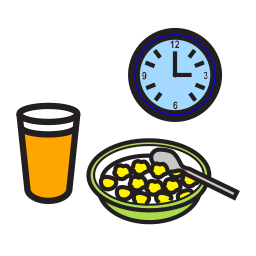 Breakfast
35 min
Breakfast
35 min
 Get dressed
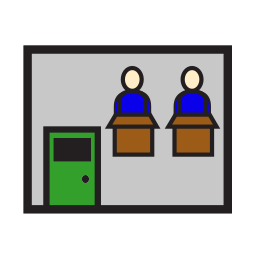 School
4 h 50 min
School
4 h 50 min
 Free time
2 h 30 min
Free time
2 h 30 min
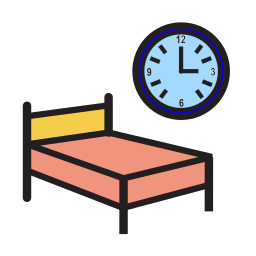 Bedtime
- Size means duration. In a plain list ten minutes and five hours look the same.
- Gaps are free time. Visible, not something to work out in your head.
- The line is now. It answers “where am I in the day?”.
About your data
A children’s app is held to a higher bar. These are commitments, not settings we may quietly change.
No advertising and no advertising identifiers — not now, not later.
Data is stored in Europe (Frankfurt) and encrypted in transit.
Analytics and crash reports are off by default and parent-only — a child is never tracked.
You can export or delete your data at any time from Settings.
A child’s data is only created after the parent’s confirmed consent.
This website loads no third-party scripts, fonts or trackers — and sets no cookies.